Skip to content
Webdutos
Contact us

QUALIDOC

ABOUT QUALIDOC

QUALIDOC was developed to control the entire distribution cycle of technical documents, drawings and records: from issuance and internal or external approval through to distribution and the management of open items. Distributing these documents is a complex activity, and Qualidoc handles it through five main points:

1. It ensures that documents requiring approval have their changes properly reviewed.

2. It ensures that the right people receive the controlled copies carrying the same information.

3. It ensures traceability of what was distributed, recording who received it and how many copies were sent.

4. It ensures immediate distribution of new documents or modified documents.

5. It ensures that obsolete documents are withdrawn from circulation.
SCREENS

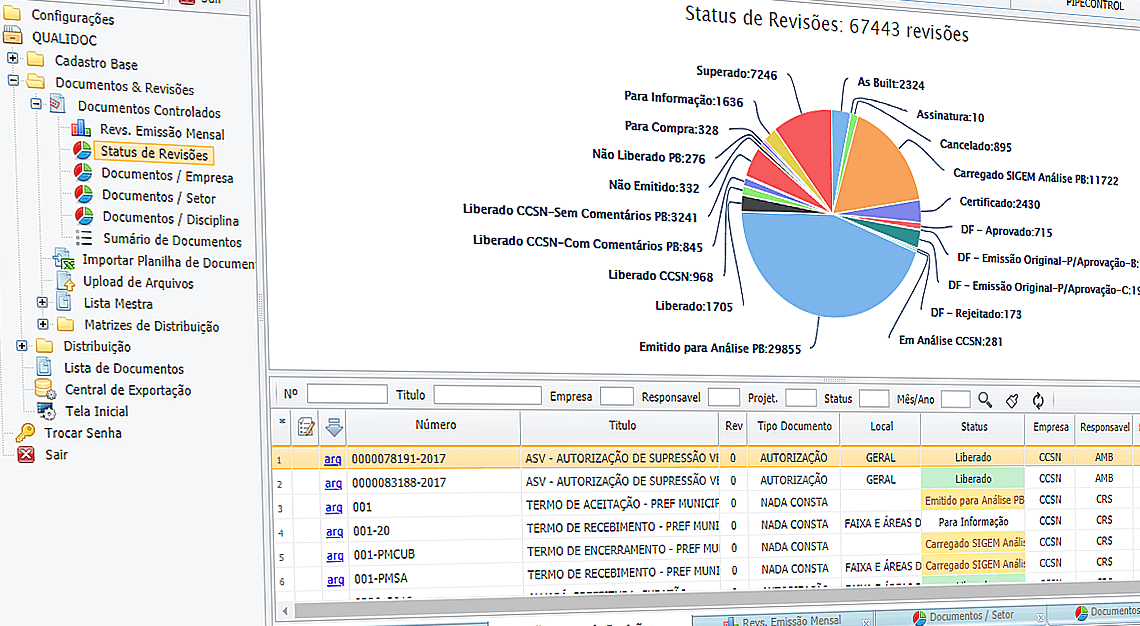
  • Revisions and versioning screen with a Qualidoc pie chart

    Revisions and Versioning

    Qualidoc controls the document through its revisions, classifying each one according to the status and allocating the distribution, obsolete copies recollection and tracing files in an automatic way.

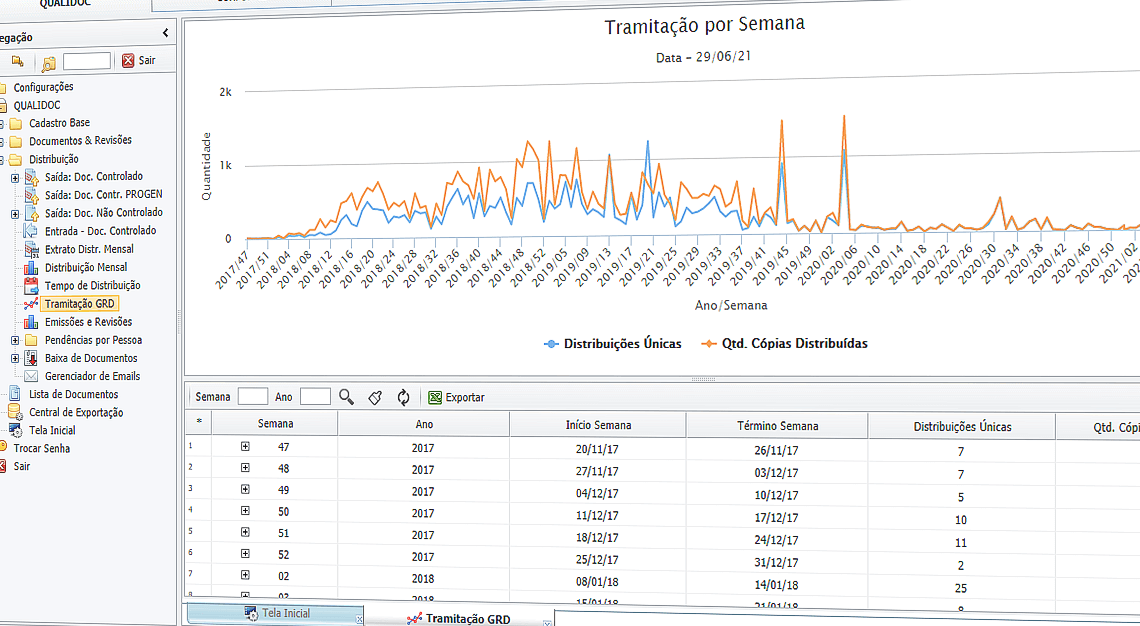
  • Cross-indicators screen with the Qualidoc weekly document flow chart

    Cross indicators

    Qualidoc makes various indicators that allow an easy and quick monitoring for elaboration, approval, distribution and recollection of documents and controlled copies.

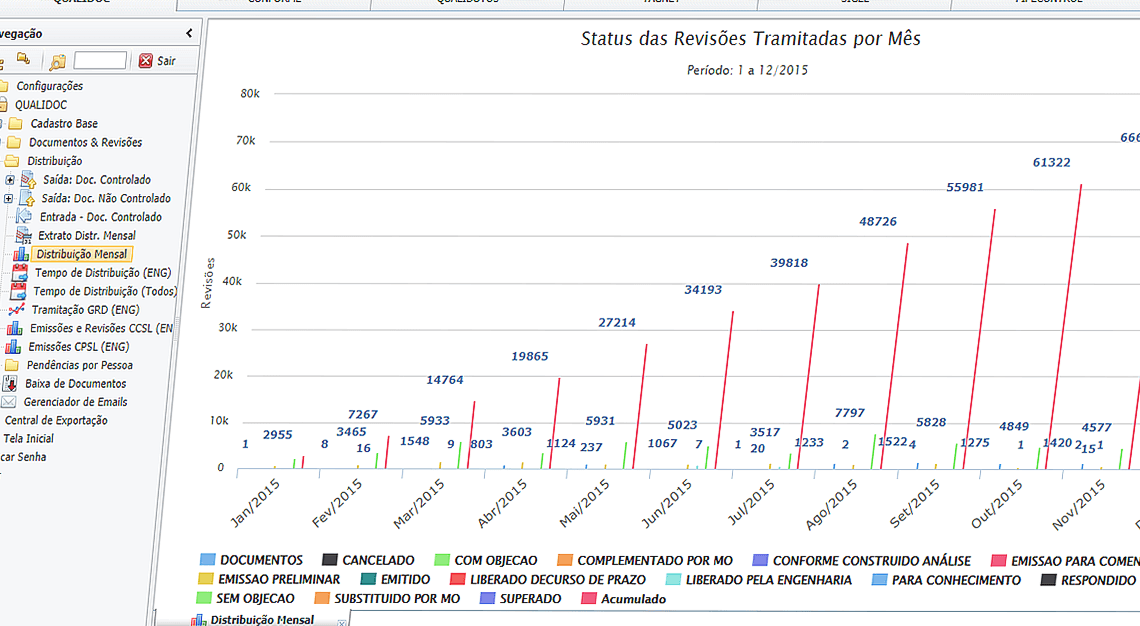
  • Qualidoc distribution screen with a chart of revision status processed per month

    Distribution

    The whole distribution process is controlled simply and effectively by issuing document transmittals (GRD). Transmittals can be generated with one click, clearing distribution backlogs.

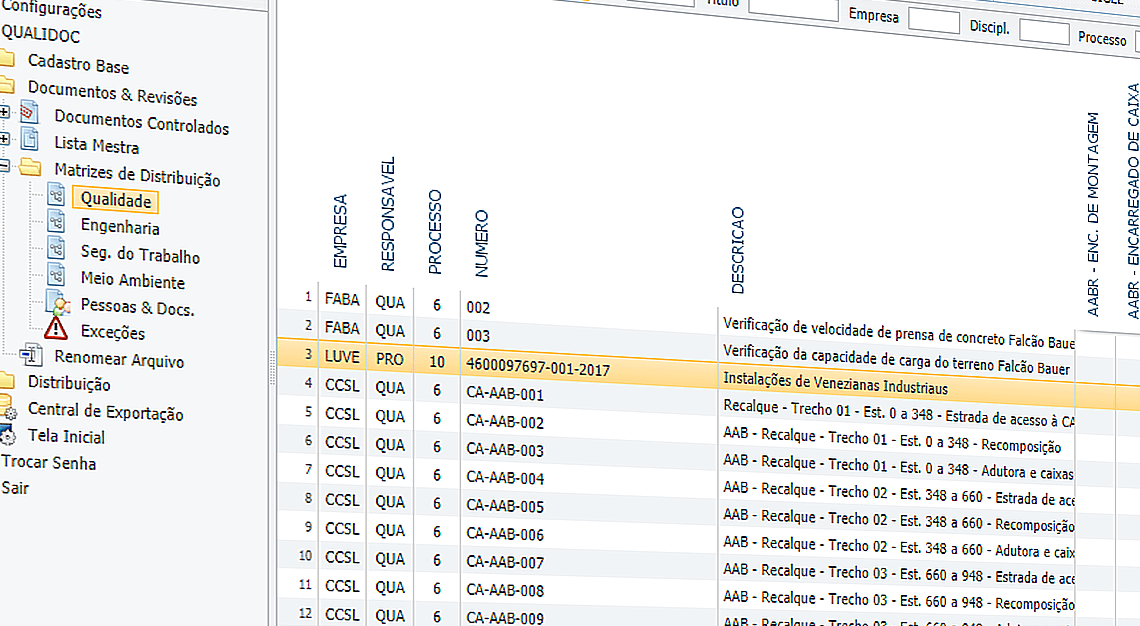
  • Distribution matrix page with table

    Distribution Matrix

    Qualidoc allows you to generate Distribution Matrixes to each sector to control your documents or a unique integrated matrix to the centralized distribution. With a friendly and easy to operate screen, Qualidoc makes the distribution automatically by prints of controlled copies, electronic despatches (email) or a cell phone notification (SMS) of each recipient informing new revisions.

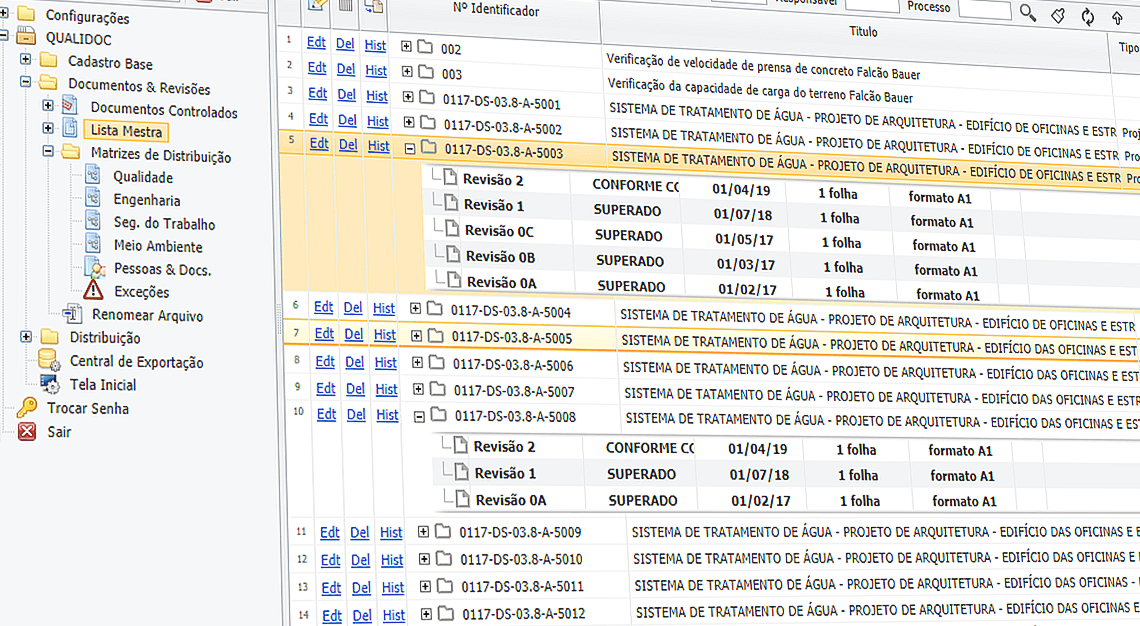
  • Master document list screen

    Master List

    You will not have to generate and update the Master Documents List: just enrol the initial revision of the document and Qualidoc will do it automatically! Through it you are still capable of tracing all the historic of the revisions and who has each one of the controlled copies emitted.

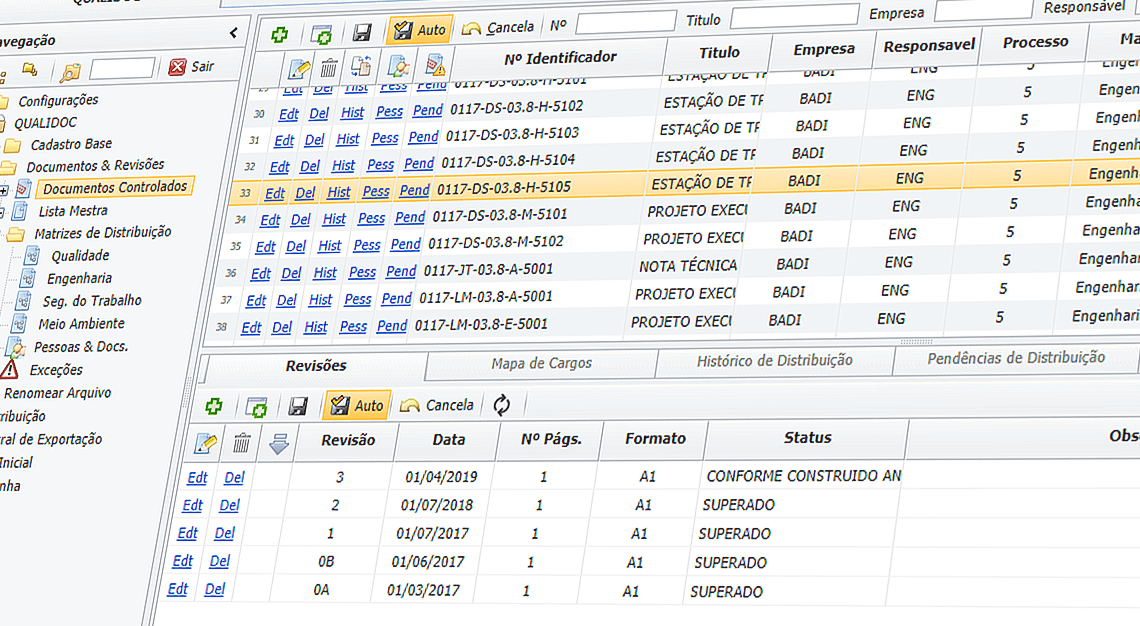
  • Controlled documents screen

    Controlled documents

    Qualidoc will give you different resources that will allow controlling not only the document but also the electronic file, preventing improper printings and featuring watermarks on every controlled copy emitted.

DIFFERENTIALS

  • Acceding the standards

    Qualidoc is acceding the standards ISO 9001 – Item 4.2 – sub-item 4.2.3 Documentation Requirements OHSAS 18001 / ISO 14001. It is also compatible with the standards of PETROBRAS N-381 – Execution of Drawing and Other Technical Documents in General, N-1710 – Technical Documents Codification / N-2064 – Emission and Revision of Project Documents.

  • Costs Reductions

    QUALIDOC can be used to make the distribution of documents in an electronic way without the need to print. There are cases that show a reduction of 70% on the volume of controlled copies.

  • Robust and Fancy

    QUALIDOC is a robust software. It controls all the documents flow, since emission, internal and external approval (customer and inspection), distribution and management of hangs and recollection of obsolete copies.

  • Easy Access

    Accessed via an internet navigator, such as Internet Explorer®, Google Chrome or Firefox, without the need of installing any additional programs on the users’ workstations.

  • Simplicity

    Usability is a concept applied by Webdutos on the making of softwares like QUALIDOC. Through it, it’s firstly thought who will use the program and after who develops. The results are simpler programs, which are also pleasant and easy to operate.

  • Integration

    QUALIDOC chats with other Webdutos’ modules, aiming the exchange of information between sectors. This approach reduces the necessary time for the information to reach who needs it and inhibit errors propagation.

  • Interactive Master List with access control

    Control all documents in the enterprise. Control access to digitized documents with a click of the mouse.

FREQUENTLY ASKED QUESTIONS

Can you set up different document distribution matrices?

Yes. QUALIDOC allows you to generate different matrices, such as matrix for QSM, matrix for quality documents matrix, and engineering matrix.

Do existing matrices automate the pendency elimination process?

Yes. For example, if a document is indicated to be distributed to headquarters the software automatically generates the distribution to the correct people.

Does it generate transmittal / protocol with automatic identifier?

Yes, QUALIDOC generates remittance slips automatically for hardcopy printing or automated by e-mail.

Does it track pending documents and collection of obsolete copies?

Yes. All controlled copies are treated as highly traceable, allowing you to locate the people who received them and the people who received them and when this occurred.

Generates a list of documents in controlled form with traceability of the submissions made?

Yes. All events associated with documents, such as review, analysis, submissions and receipts are stored in the system audit.

Do you export reports to Excel, such as GRDs, Master List and pendency reports?

Yes, it has integration for exporting reports in Excel and PDF.

Do you monitor time taken for each status of the approval and distribution workflow?

Yes, it has time tracking counters. With them it is possible to know, for example, how long a person or company took to analyze and approve a document.

Does it generate transmittals in controlled form?

Yes, the form for generating the remittance slip (GRD) is controlled and adherent to ISO 9001.

Does it generate a Master List of documents, including those not issued?

Yes, it generates Master List with and without traceability of events, including the prediction of when the controlled copies should be issued.

Does it control the validity of documents, anticipating document expiration in case it is necessary?

Yes, the validity of each revision is calculated automatically based on the document's registration.

Generate controlled copies with electronic stamp for traceability of each printed document?

Yes, QUALIDOC prints a custom watermark containing traceability information for the information for the document.

Allows various searches such as who has received the documents, who still needs to receive them, tracks workflow statuses for all revisions of each document?

Yes, all information entered by users is searchable.

Do you apply controls against printing, copying and editing the revisions?

Yes, control is done through Qualidoc's integration with Acrobat PDF to restrict editing and printing of controlled copies.

Can you collate controlled copies for double-sided printing?

Yes. When generating document packages, QUALIDOC assembles the print book for sending to the printer with feature.

Do you have graphic indicators for simplified follow-up / monitoring?

Yes. The graphical interface is intuitive and has several real-time graphs for dashboard tracking.

Generate reports cross-referencing information across documents, reviews, people, teams, and locations?

Yes, each enterprise can configure QUALIDOC to cross-reference existing information in different ways.

Sends automatic notifications by email?

Yes, it is integrated with email for sending remittance slips and documents digitally (paperless).

Do I have to suggest QUALIDOC the documents everytime someone is hired on my enterprise?

No. This is made automatically by QUALIDOC. During the implantation phase, Webdutos’ Analysts are going to codify your organization’s documents distribution rules on QUALIDOC. Then, the program is going to warn you about the need of delivering the controlled copies or recollection of obsolete versions.

How does WEBDUTOS support work?

Users can open support tickets by email any day of the week, at any hour. For tickets by phone or Teams, support is available during business hours, Monday to Friday from 9 am to 6 pm.

Request a technical presentation without commitment

Get in touch