Skip to content
Webdutos
Contact us

SRC

ABOUT SRC

SRC stands for Contractual Requirements System and is a software application built to manage requirement compliance for the companies and people involved in a project. Requirements range from the delivery of documents (of any kind) to events created by the software administrator. SRC therefore monitors the settlement of open items across several areas of the project, such as Human Resources, Contract Administration, Occupational Health, Safety and Medicine, among others.

To achieve this, SRC lets the software administrator create requirement profiles for groups of suppliers and their employees. The profiles are applied to the companies and their workforce, producing a list of commitments to be met within a predefined deadline. The software generates several reports and indicators that allow the project to hold its suppliers accountable for meeting the requirements.
SCREENS

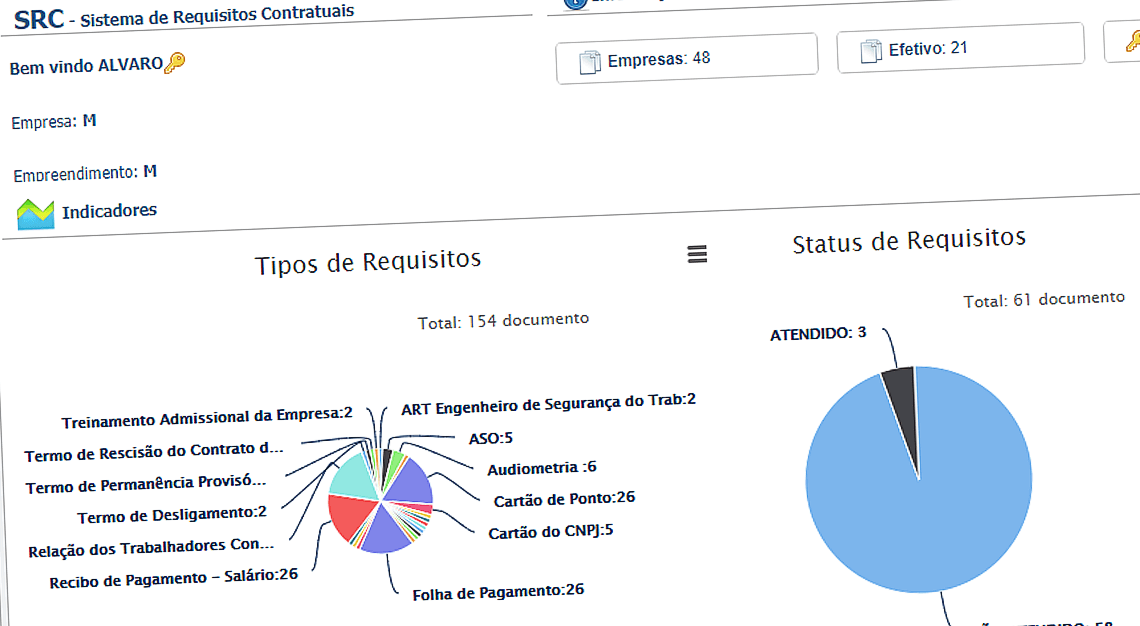
  • SRC home screen with pie charts showing requirement types and requirement status

    Indicators

    Manage the hangs of services to the internal contractual requirements and outsourced ones. SRC generates requirement maturities reports in advance allowing proactivity and a guarantee that it is acceding to the contractual standards of your organization.

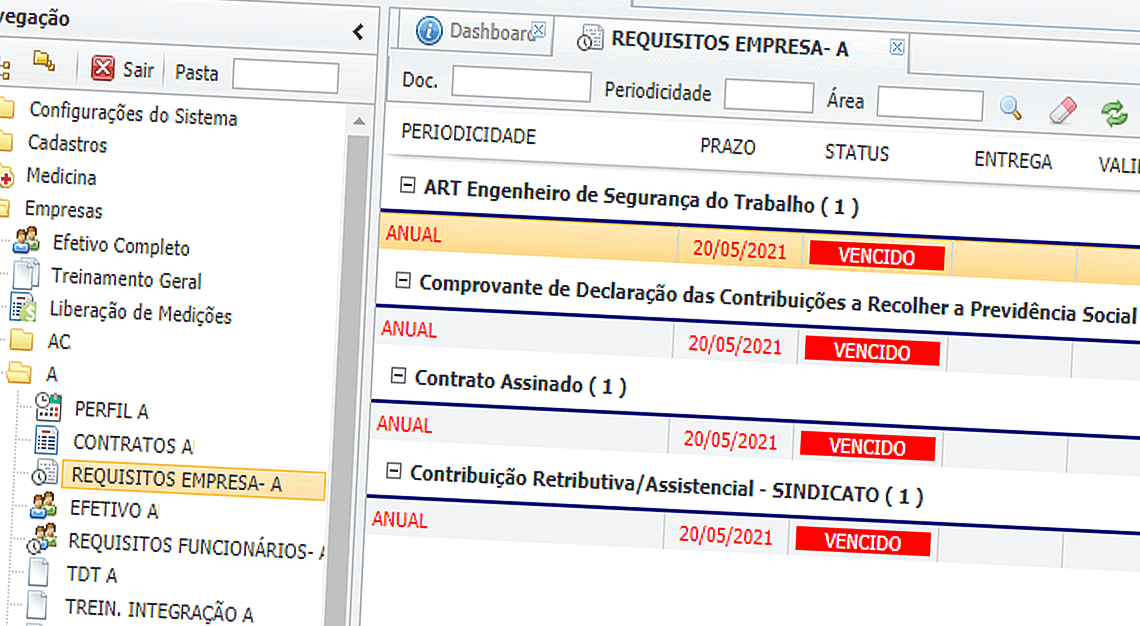
  • Screen with contractual requirement profiles broken down by company

    Differenced Profiles

    Create contractual requirements differenced by enterprises, fields of activity, practice area or specific things by enterprise. Then, let SRC manage the service and send charges by email automatically.

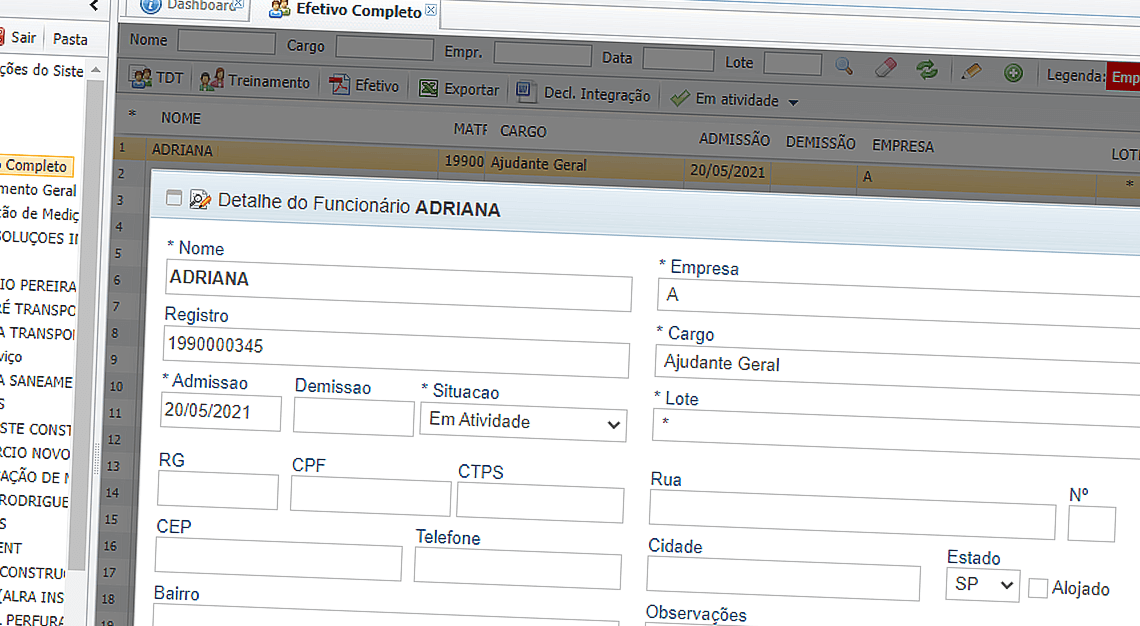
  • Workforce requirements screen showing how to create a workforce profile.

    Headcount Requirements

    SRC also creates requirement profiles about the headcount of your organization and the outsourced. Allows managing the delivering of documents and events unitarily or on batches.

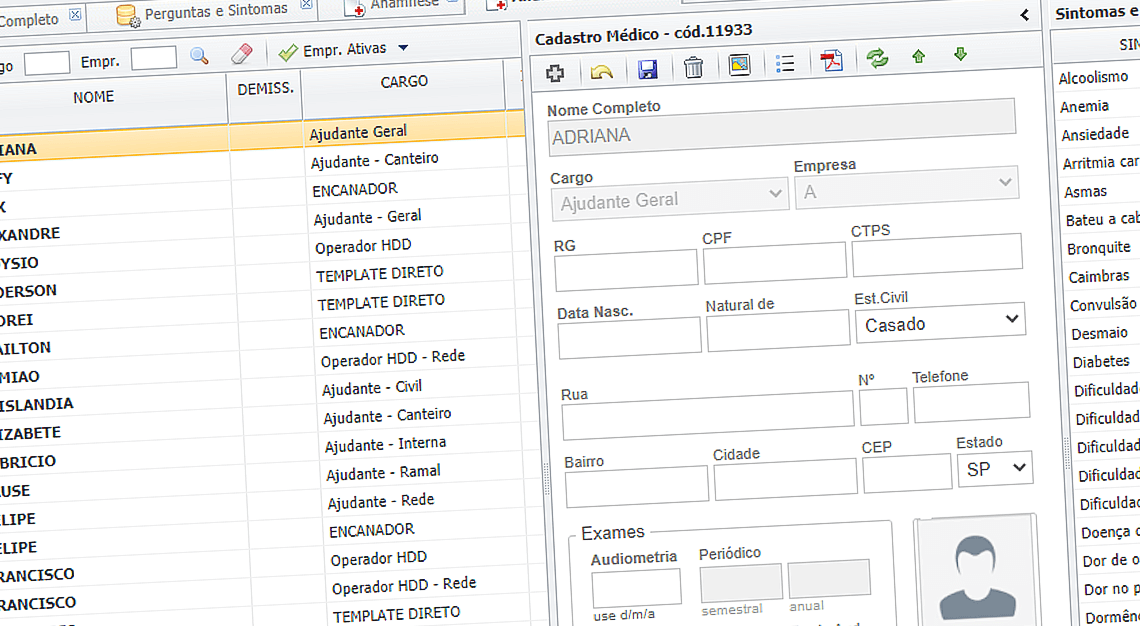
  • Health screen showing the workforce medical records

    Health and Safety

    SRC also manages the Health Occupation requirements: anamneses, PPRA, PPP, audiometry, periodic exams – the historic of each person who worked on your enterprise in archived on the database and can be consulted at any time.

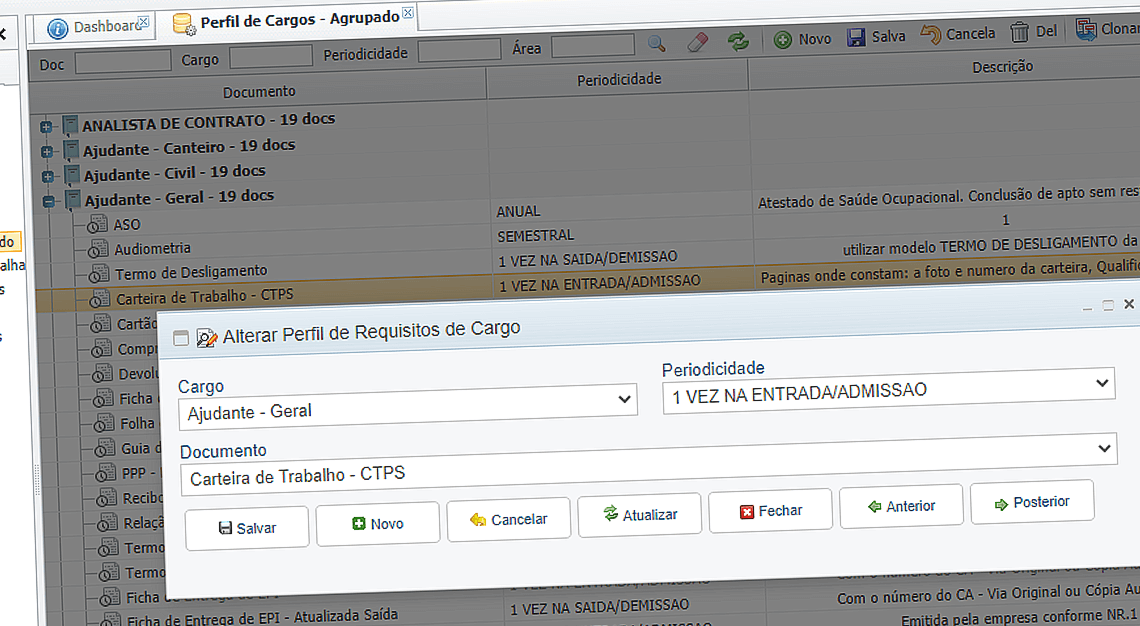
  • Job profiles screen showing how to change a job requirements profile

    Position Profiles

    SRC creates requirements for each position in activity. Monitoring the service of those requirements is guarantee that passive occupational rights events and co-responsibility will decrease.

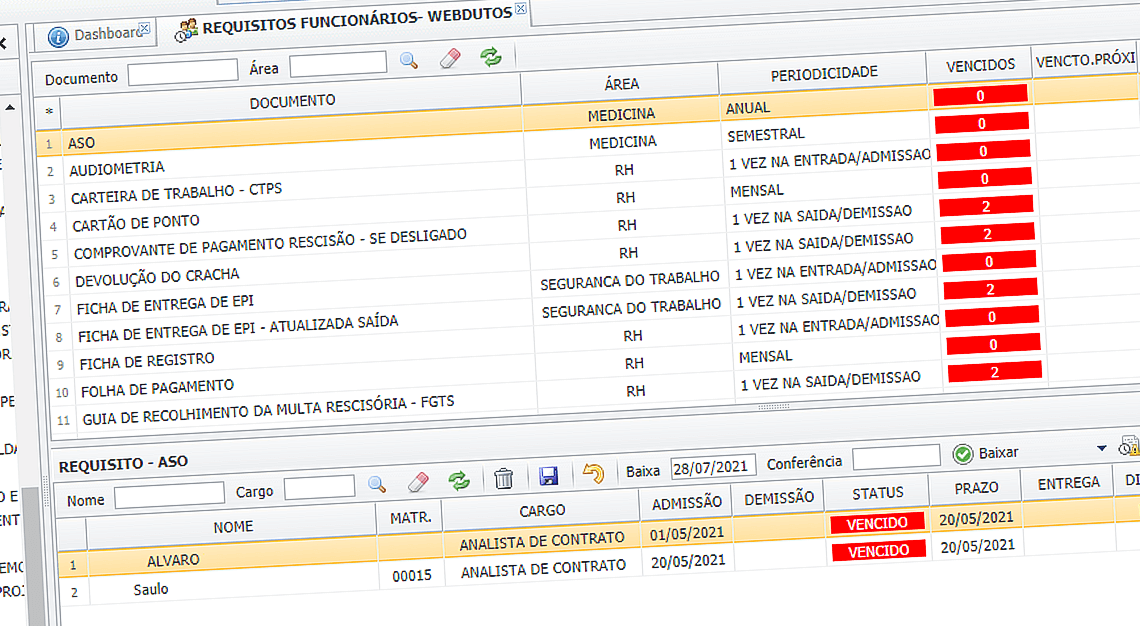
  • Employee requirements screen showing how requirement compliance is progressing

    Reports

    Many reports give the exact image of how the attendance to the requirements is: per position, per individual, enterprise, documents, events, sectors, etc.

DIFFERENTIALS

  • Integration

    SRC is integrated to Excel and PDF. All the reports can be obtained on screen, worksheets or PDF files.

  • Automatic Charges

    SRC sends individual e-mails charging the requirements attendance for each enterprise or sector.

  • Secure module

    Strong authentication restricts information only to interested people. That guarantees that the enterprises see only requirements and information connected to it.

  • Flexibilit

    The Administrator can change requirement profiles or create new ones and apply over enterprises and headcounts. With that you can manage legal requirements, normative and internal.

  • Historic

    All the hangs, requirements and requirement attendances are archived on the database. The documental historic of the supplier can be consulted allowing safer hires.

  • Measurements

    SRC has a measurement worksheet divided into cost percent and area. Through that feature, it is possible to liberate or remove measurements of suppliers who have their payment not on time with their contractual obligations.

  • Technology

    SRC is developed in a SQL database of high performance and has integration with Excel and PDF. It’s used through a internet navigator and there is not a user limit.

  • Quick access

    The platform does not require additional software. Use a simple Internet browser of your browser of your choice.

FREQUENTLY ASKED QUESTIONS

Can my outsources access SRC directly?

Yes. Each supplier, or contracted enterprise, receives a login and a password to access, see and attend the contractual requirements between him and your enterprise.

SRC manages suppliers with more than one contract?

Yes. Every contract saved on SRC is different even for the same supplier, allowing the management of different requirements profiles for each contract, even being under the same national entity registration code (CNPJ in Brazil).

Does SRC have pre-defined requirement profiles?

Yes. During the SRC implantation, standardized profiles acceding the legal and normative standard of the country are registered on the database. There are more than 400 positions with profiles that attend the occupational legislation, regulatory standards and good compliance practices.

Can I use SRC via internet?

Yes. All Webdutos' programs can be used on internet as well as on the internal network of the enterprise. That way, they work normally when there is no internet link.

I want to manage different constructions from my enterprise. Is that possible?

Yes. The technical and commercial proposals we issue contain 3 different licensing options so that you can maximise value for money. Smaller projects can therefore use SRC in the same way as large ones.

How is the access to finished constructions?

The license provided by Webdutos is everlasting, in other words, you keep accessing your content after the end of the enterprise, because we work with the premise that all the knowledge deposited in the database belongs to the contractor.

Is possible to integrate WEBDUTOS' softwares with others programs we have used before?

We look forward to make that integration in order to avoid reworks and retyping data. There are various cases of succeeded integration with softwares such as Dutoline, Autocad, Citadon, Project, and others; but every case needs to be analysed to ensure the consistence of the information.

How does WEBDUTOS support work?

Users can open support tickets by email any day of the week, at any hour. For tickets by phone or Teams, support is available during business hours, Monday to Friday from 9 am to 6 pm.

Is a high performance hardware necessary to use WEBDUTOS' softwares?

The technology used requires only low-end hardware. Even older servers, more than 5 years old, can be used normally, and a workstation with more than 3 years of use can be turned into the application server.

Request a technical presentation without commitment

Get in touch